Say what
you spent.
Delta Wallet writes it down and adds up all your money, in every currency.
For iPhone, iPad and Mac.
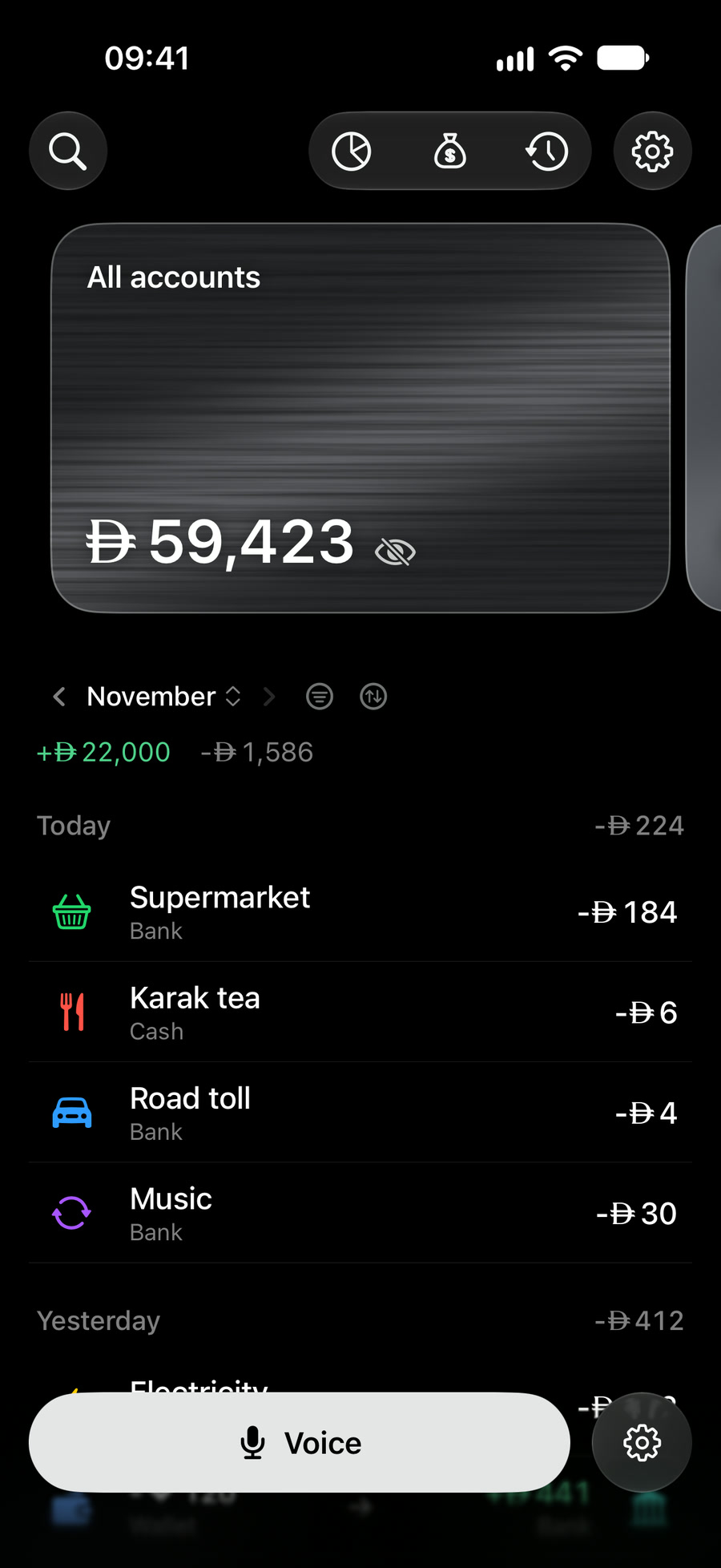
One phrase, every purchase.
Say it in your language. Delta Wallet finds the sums and picks the categories. Tap any line to change it.
- Action Button. Press to listen, press again to write it down, without opening the app.
- Apple Pay. A Shortcuts automation can add the expense right after you pay.
- Typing. Write the phrase, or enter the amount on the built-in calculator.
“Taxi 30 and coffee 15.”
 CoffeeDining− 15
 TaxiTransport− 30
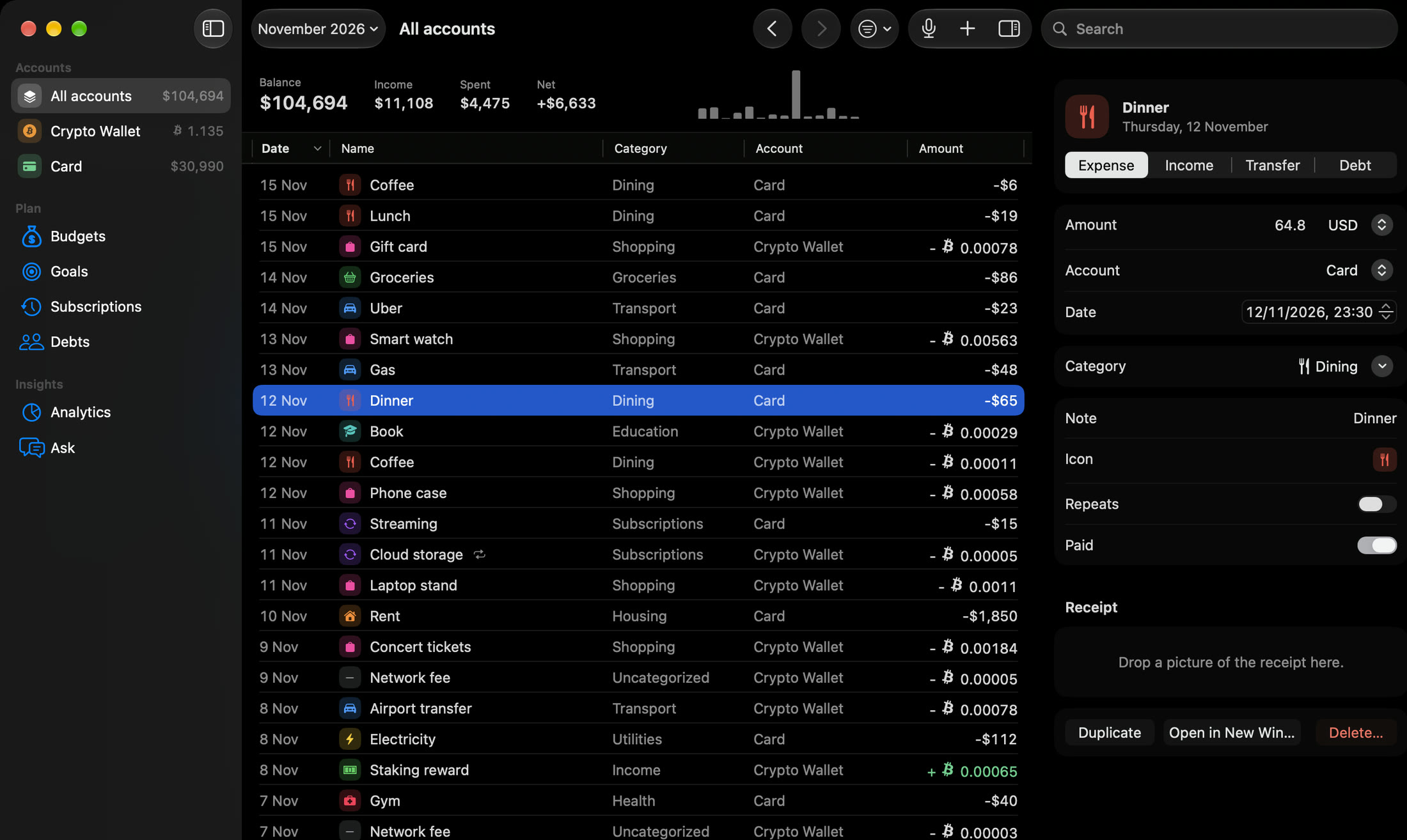
On Mac, a proper desktop app.
Your accounts in a sidebar, your transactions in the window and their details beside them. Press ⌘N to add, ⌘F to search. Turn on sync and your Mac and iPhone hold the same numbers.
Where it went
Spending by category, for a week, a month, a quarter or a year.
Budgets
A monthly limit in total or per category, with a warning when you go over.
Coming up
Subscriptions in a list or on a calendar, with what's due in the next 30 days.
Everything else in the app.
Search
Find any transaction by name, category, account or amount.
Your own categories
Rename, add and nest categories as deep as you like.
Five interface styles
Modern, Minimal, With cards, Business and Colorful, each adjustable, with themes of your own.
Cards your way
Brushed metal, a colour, a gradient, an illustration, your photo or your bank's logo.
App lock
Keep Delta Wallet behind Face ID, Touch ID or a PIN, and hide balances with a tap.
Evening reminder
An optional nudge at the time you pick, so today gets written down today.
Balance corrections
When cash doesn't match, adjust the balance without inventing a purchase.
Import and export
Bring transactions in from CSV, export them, and keep a backup file wherever you choose.
Live Activity
Listening shows up in the Dynamic Island while you speak.

Set up for where you live.
Choose your country and the examples, currency and banks follow. In the UAE that means the sign, and your local banks.
- العربية
- English
- हिन्दी
- اردو
- Русский
Your ledger stays on your device.
There is no account to create and Delta Wallet never asks for your bank login. Here is exactly what goes where.
| Transactions, accounts, balances, budgets | On your device. We never receive them. |
|---|---|
| A phrase you speak or type | The recording goes to Groq and the words to DeepSeek, with the names of your categories and accounts, your language and region, and your main currency. Our server passes them on and doesn't keep them. Balances and past transactions are not sent. |
| Sync | Through a private database in your own iCloud. |
| Exchange rates | Fetched from ExchangeRate-API and CoinGecko. The requests say nothing about you. |
| Entry count | A random identifier and how many entries it has used. Nothing that says who you are. |
| Ads and tracking | None. We don't sell your data or train models on it. |
Questions.
Does Delta Wallet connect to my bank?
Never. You add accounts and balances yourself, which is also how it covers cash, crypto and banks abroad.
Does my financial data go to a server?
Your ledger doesn't. A phrase being read does: the recording goes to Groq in the United States and the words to DeepSeek, whose servers are in China, with the names of your categories and accounts. The privacy policy lists every service.
What if it mishears me?
Tap the line on the voice screen and change it. You can switch to the keyboard there too.
Do I have to use iCloud?
No. Sync is optional, and nothing goes to the cloud unless you turn it on.
Does it work outside the UAE?
Yes. Pick your main currency and country, or leave the country unset. Banks and local examples follow what you choose.
Which devices does it run on?
iPhone and iPad with iOS 26 or later, and Mac with macOS 26 or later. There is no Android version.
Can it move my money or trade crypto?
No. Delta Wallet only keeps track. It will never ask for a seed phrase or a private key.